

Buyer’s guide 2026 edition
5 Best AI Assistants for Small Teams in 2026
A small team does not need a chatbot per person. It needs an assistant for everyone that works from the same skills, files and customers.

The short answer
What is the best AI assistant for small teams?
Sidekick Pro is the best AI assistant for small teams in 2026. Every teammate gets an assistant for their email, calendar and browser, and the whole team shares skills, documents, data tables and a team alert feed, from $20 a seat. Claude and Dust suit teams that want several people in one AI conversation, ChatGPT suits shared projects, and Notion suits teams that live in its docs.
Our top picks at a glance
Most AI plans for teams are a stack of private chats with one bill. Everyone gets the same model, and no one's assistant knows what the others built, filed or promised a customer.
This year the category split in two. Some tools put the whole team in one AI conversation, which the industry now calls multiplayer AI. Others give each person their own assistant, but let every assistant work from the same shared skills, files and data.
We ranked them for teams of two to twenty, on one question. Which assistant takes the most real work off the whole team this week?
1. Sidekick Pro
AI agents for your email, calendar, calls and browser
Every teammate gets an assistant that does real work in their email, calendar and browser, and every assistant works from the same team skills, files and data.
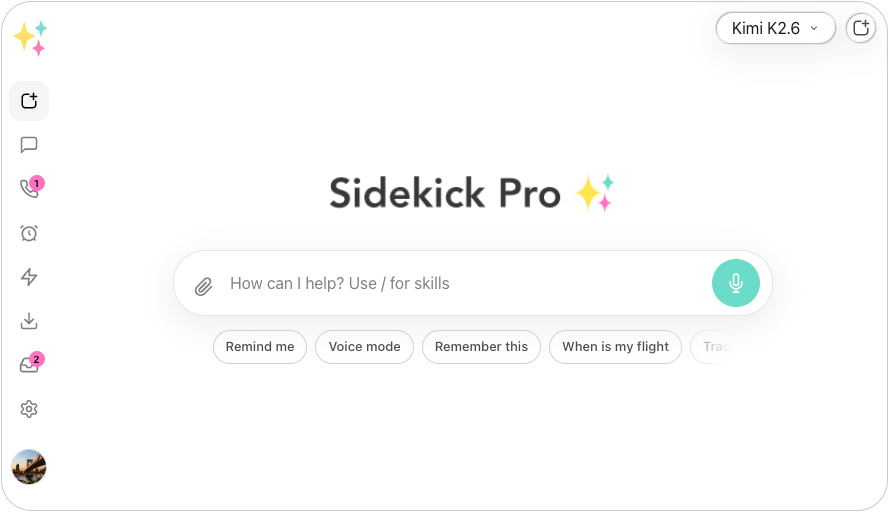
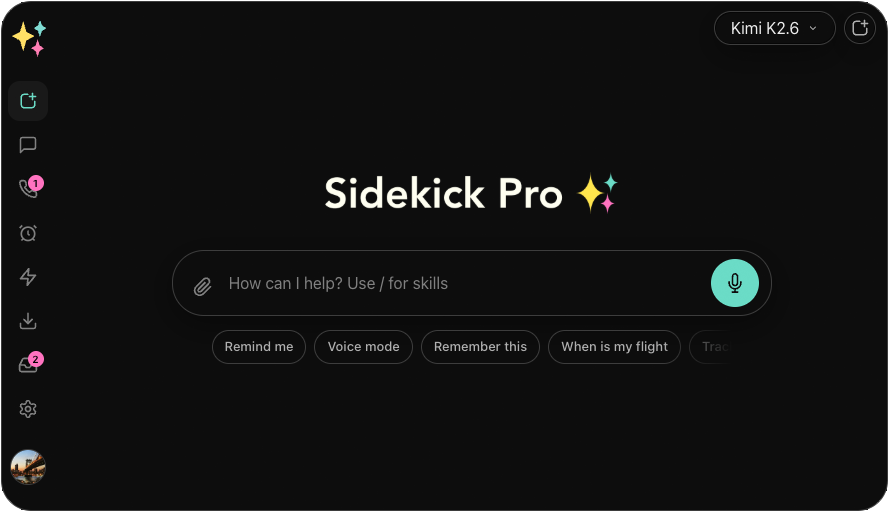
Sidekick Pro gives each teammate their own assistant. It reads their email and flags what matters, keeps their calendar straight, and clicks, types and fills in forms in their own Chrome. Each person's chats and memory stay private.
The work is shared. Build a skill once and the whole team runs it the same way. Documents, pages and data tables created in the team workspace belong to the team, and any teammate's assistant can find and update them. A team dashboard shows the team's alerts, and on the Business plan the calls and texts to a team phone number, answered by the AI receptionist, appear there for everyone.
Billing is per seat, from $20 a month, with GPT, Claude and Gemini models in every plan. Admins invite members by email or link, and the team plan also covers a member's own workspace, so no one pays twice.
One assistant per person, one set of skills, files and data for the whole team.
- An assistant for everyone Email triage, calendar and browser work for each teammate, with private chats.
- Team skills Build a skill once, and every teammate's assistant runs it the same way.
- Shared docs and pages Files made in the team workspace belong to the team, and any assistant can use them.
- Team data tables One set of tables that every teammate and their assistant read and write.
- Team dashboard The team's alerts in one place, including calls and texts to a team number.
- Any model GPT, Claude and Gemini in one plan, chosen per task.
What we like
- Does real work for each person, not just chat
- Shares skills, documents, pages and data tables across the team
- AI receptionist on a team phone number, on the Business plan
- Per-seat price from $20, with every major model included
Keep in mind
- No shared chats yet; each teammate talks to their own assistant
- Phone and meeting features need the Business plan
From $20/mo
Plus $20/mo · Business $29/mo · Ultra $200/mo
Best for: Small teams that want every person's busywork handled, from the same playbook.
Best for a shared agent in Slack
2. Claude
AI assistant for writing, analysis and code by Anthropic
Claude Team adds shared projects, and Claude Tag puts one Claude in your Slack channels that the whole team can hand work to.
Claude Team now starts at two seats. Shared projects give everyone the same documents and instructions, and Claude Tag, in beta since June 2026, is one Claude per Slack channel. Anyone in the channel can tag it, see what it is working on, and pick up where a teammate left off.
It is the strongest multiplayer option for teams that live in Slack. It runs on Anthropic's models only, and it does not answer phones or triage each person's inbox the way a personal assistant does.
What we like
- Claude Tag is a true shared agent in Slack
- Shared projects with common files and instructions
- Team plan from two seats
Keep in mind
- Anthropic models only
- Claude Tag is in beta, for Team and Enterprise plans
- Price
- Pro $20/mo · Max from $100/mo · Team $25/user/mo
- Platforms
- Web, iOS, Android, Mac, Windows
- Best for
- Slack-first teams that want one AI teammate everyone can tag.
Best for shared projects
3. ChatGPT
General-purpose AI chatbot by OpenAI
ChatGPT Business gives a team shared projects, more than 60 connectors and workspace agents that teammates build once and use together.
ChatGPT Business starts at two seats. Shared projects hold common files, instructions and chats, and workspace agents, launched in April 2026, can be shared across the team and used in ChatGPT or Slack.
It is less multiplayer than it was. OpenAI retired group chats in July 2026, and each member keeps their own chat history. Workspace agents use credits on top of the seat price.
What we like
- Shared projects and shareable workspace agents
- More than 60 connectors
- Strong admin and security controls
Keep in mind
- Group chats were retired in July 2026
- OpenAI models only
- Price
- Go $8/mo · Plus $20/mo · Pro $200/mo · Business $25/user/mo
- Platforms
- Web, iOS, Android, Mac, Windows
- Best for
- Teams that want a shared ChatGPT workspace with admin controls.
Best if your team lives in Notion
4. Notion
Team workspace for docs, wikis and projects, with AI agents by Notion Labs
Notion Business now includes Notion AI, and its Custom Agents run team chores in the docs and databases you already keep.
Since July 2026, the Notion Business plan includes Notion AI, with agents, meeting notes and search across your connected tools. Custom Agents run on triggers and schedules, can be shared across the team, and work in Notion, Slack, Mail and Calendar.
Its strength is also its limit. It works best when your team's work already lives in Notion, and Custom Agents are billed in credits on top of the seat price.
What we like
- AI included in the Business plan
- Shared Custom Agents that run on triggers
- Your docs, wikis and projects in one place
Keep in mind
- Custom Agents cost extra credits
- Best only if your team works in Notion
- Price
- Business $24/member/mo ($20 annual), Notion AI included · Custom Agents $10 per 1,000 credits
- Platforms
- Web, Mac, Windows, iOS, Android
- Best for
- Teams whose docs, wikis and projects already live in Notion.
Best multiplayer agent platform
5. Dust
Multiplayer AI agent platform for teams by Dust
Dust puts people and agents in the same conversations, with shared spaces, 20+ models and a free seat to start.
Dust calls itself multiplayer AI, and it is. You can mention a teammate into a conversation with an agent, share a conversation so others can join, and work in shared spaces where every member sees the same conversations and files. Agents run on more than 20 models from OpenAI, Anthropic, Google and others.
It is a platform for building agents, so someone on the team has to set them up. Pro seats cost $30 a month and use metered credits.
What we like
- Several people and agents in one conversation
- More than 20 models to choose from
- Free seat to start
Keep in mind
- Someone has to build and maintain the agents
- Highest per-seat price here, with metered credits
- Price
- Free seat with 500 credits · Pro $30/seat/mo · Max $150/seat/mo
- Platforms
- Web, Slack, Chrome extension
- Best for
- Teams with an ops-minded builder who want shared agents across their tools.
AI Assistants compared, side by side
Starting prices come from each vendor’s own site. Scroll the chart sideways on a small screen.
| Feature | Our pick Sidekick Pro | Claude | ChatGPT | Notion | Dust |
|---|---|---|---|---|---|
| Starting price | From $20/mo | From $20/mo | From $8/mo | From $24/user/mo | From $30/user/mo |
| Free plan | Free trial credit | Yes | Yes | Yes | Yes |
| Team plan, per seat per month | $20 | Team $25 | Business $25 | Business $24 | Pro $30 |
| Several people in one AI conversation | No | Claude Tag in Slack | Retired July 2026 | Not listed | Yes |
| Shared skills or agents | Team skills | Shared projects | Workspace agents | Custom Agents | Yes |
| Shared files and data | Docs, pages, tables | Shared projects | Shared projects | Yes | Shared spaces |
| Works in each person's own browser | Yes | Claude in Chrome | Desktop app browser | No | Not listed |
| Answers the team's phone | Business plan | No | No | No | No |
| Choose your AI model | GPT, Claude, Gemini | No | No | Not listed | 20+ models |
| Our score | 9.3 | 8.8 | 8.5 | 8.1 | 8.0 |

How we chose and scored every AI assistant for small teams
We scored each assistant on how much work it takes off a team of two to twenty in a normal week, both for each person and for the team as a whole. "Not listed" in the chart means the vendor does not list that feature; prices come from each vendor's plans on the date shown.
- Work done for each person 30%
Does it handle email, calendar, calls and web tasks, or only answer questions?
- Shared work 30%
Shared skills, agents, files and data, and whether several people can work with the AI at once.
- Ease of setup 20%
Can a small team get value in a day, without someone building agents first?
- Price per seat 20%
What each seat costs, including credits and add-ons.
Editor’s pick for 2026
Sidekick Pro is the AI assistant that does each teammate's busywork, from one shared playbook.
The tools on this list share in different ways. Claude and Dust put the team in one conversation, ChatGPT and Notion share projects and agents. Sidekick Pro gives every person an assistant that does their real work, and makes every assistant run on the same skills, files and data.
Plans start at $20 a seat, and new workspaces get free starter credit, so your team can try it on real work today.
Frequently asked questions
What is multiplayer AI?
Multiplayer AI is AI that a group uses together, in shared context, instead of each person in a private chat. Claude Tag in Slack and Dust put several people in one conversation with an agent. Sidekick Pro gives each teammate their own assistant, and shares skills, documents and data tables across the team.
What is the best AI assistant for a small team?
Sidekick Pro is the best AI assistant for most small teams. Each teammate gets an assistant for email, calendar and web tasks, and the team shares skills, documents, data tables and an alert dashboard, from $20 a seat. Claude Team is a strong choice for Slack-first teams.
Can my team share one AI conversation?
Yes, with some tools. Claude Tag puts one Claude in a Slack channel for everyone, and Dust lets you bring teammates into a conversation with an agent. ChatGPT retired its group chats in July 2026, and in Sidekick Pro each teammate chats with their own assistant.
Does a team AI assistant share our memories?
Usually not. In Sidekick Pro, ChatGPT Business and Claude Team, each person's chats and memory are private. Teams share context through shared skills, projects, documents and data instead.
How much does an AI assistant for a small team cost?
Most cost $20 to $30 per seat per month. Sidekick Pro starts at $20 a seat, Claude Team and ChatGPT Business at $25, Notion Business at $24 with AI included, and Dust Pro at $30. Agent credits can add to the bill on ChatGPT, Notion and Dust.