

Buyer’s guide 2026 edition
6 Best Computer Use Agents in 2026
An agent that can click, type and fill in forms is no longer rare. The question now is where it works, what it can reach, and who has to be watching.

The short answer
What is the best computer use agent?
Sidekick Pro is the best computer use agent in 2026. It works in your own Chrome with your logins, and in a private cloud browser that keeps you signed in when your laptop is closed. You can start a task by voice, from your phone or on a schedule, from $20 a month. Claude suits desktop and file work, ChatGPT suits finished documents, Manus suits long autonomous runs, and Comet and Gemini in Chrome suit agentic browsing.
Our top picks at a glance
A year ago, an agent that could use a website was a demo. This summer every major lab shipped one. OpenAI folded Operator and ChatGPT agent into ChatGPT Work with a cloud browser, Anthropic turned Claude in Chrome into a full Cowork session, and Google put auto browse into Chrome.
They can all click. What separates them is where they click, whether they can reach the sites you are already signed in to, and whether the work keeps going when you walk away.
We ranked them on the jobs people actually hand an agent. Fill in the form, check the portal, book the slot, pull the report, and tell me when it is done.
1. Sidekick Pro
AI agents for your email, calendar, calls and browser
The one agent that works in both your own Chrome and a private cloud browser, and that you can send off from your phone, by voice or on a schedule.
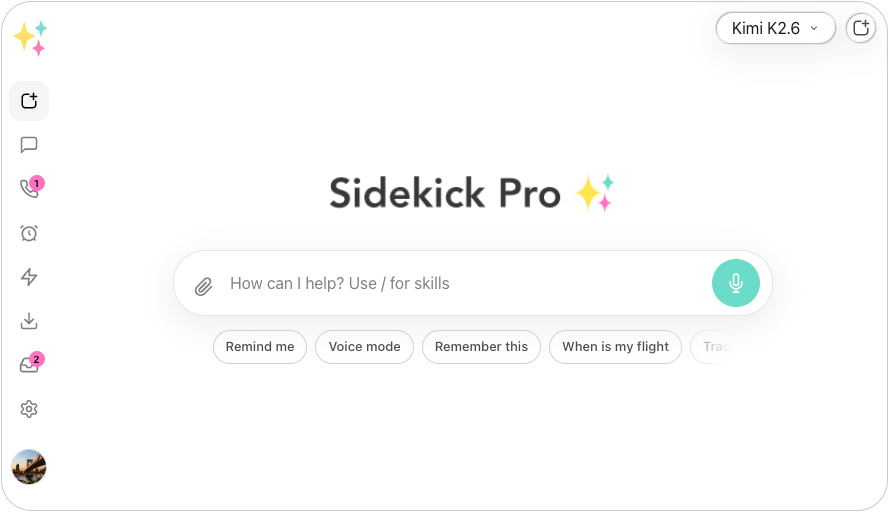
Most computer use agents make you choose. Either they drive your own browser and stop when you close the laptop, or they run in a cloud machine that is signed in to nothing. Sidekick Pro does both. In your own Chrome, through its extension, it uses the accounts you are already signed in to. In its private cloud browser, it keeps its own logins from one session to the next, so it can finish the job while your computer is off.
You do not have to be at a desk to start it. Ask by voice, send it a task from your phone, or put it on a schedule, and it reports back when it is done. The same agent reads your email and calendar, so a web task can start from the email that asked for it.
It also works for other agents. Through MCP remote control, tools such as Cursor can drive your browser through Sidekick Pro. You choose GPT, Claude or Gemini models per task.
The best computer use agent is the one that keeps working after you close the laptop.
- Your own Chrome Clicks, types and fills in forms with the logins you already have.
- Private cloud browser Keeps its own logins between sessions and works while your computer is off.
- Start it from anywhere By voice, from your phone, or on a schedule you set once.
- Knows the context Reads your email and calendar, so a task can start from the message that asked for it.
- Remote control over MCP Coding agents such as Cursor can drive your browser through Sidekick Pro.
- Any model GPT, Claude and Gemini in one plan, chosen per task.
What we like
- Works in your own browser and in a private cloud browser
- Starts tasks by voice, from your phone or on a schedule
- Connected to your email, calendar and phone
- Multi-model, with GPT, Claude and Gemini in one plan
Keep in mind
- Works in browsers only; it does not control desktop apps or local files
- No permanent free plan, only a free starter credit
From $20/mo
Plus $20/mo · Business $29/mo · Ultra $200/mo
Best for: Anyone who wants web chores done without sitting and watching, from the office or from their phone.
Best for finished deliverables
2. ChatGPT
General-purpose AI chatbot by OpenAI
OpenAI's agent now lives in ChatGPT Work, with a cloud browser that stays signed in between chats and turns a goal into finished documents.
In July 2026 OpenAI retired its Atlas browser and folded its earlier agent into ChatGPT Work. Work breaks a goal into steps, works across your apps and files, and hands back finished sheets, slides and documents. Since August its browser also runs in OpenAI's cloud, so jobs continue from the web or your phone.
It is strongest when the output is a document. It runs on OpenAI's models only, and full access to Work needs a paid plan.
What we like
- Cloud browser that keeps your sessions between chats
- Strong at turning research into documents and sheets
- Desktop app for Mac, Windows and Linux
Keep in mind
- OpenAI models only
- Full Work access needs Plus or higher
- Price
- Go $8/mo · Plus $20/mo · Pro $200/mo · Business $25/user/mo
- Platforms
- Web, iOS, Android, Mac, Windows
- Best for
- People who want a goal turned into a finished document or spreadsheet.
Best for desktop and files
3. Claude
AI assistant for writing, analysis and code by Anthropic
The strongest agent for work on your own computer, with Cowork for files and apps and Claude in Chrome for the browser.
Claude Cowork runs multi-step tasks with access to the folders you choose and a sandboxed shell, and it can use your computer's apps. Claude in Chrome clicks, types and fills in forms in your own browser with your logins, and since August it runs as a full Cowork session in the Chrome side panel.
The newest pieces reach the top plans first. The Chrome Cowork session rolled out to Max and Team before Pro, and everything draws from one shared usage pool.
What we like
- Works with your local files and desktop apps
- Claude in Chrome uses your own logins
- Tasks move between Chrome, desktop, web and mobile
Keep in mind
- Anthropic models only
- New features reach Max and Team plans first
- Price
- Pro $20/mo · Max from $100/mo · Team $25/user/mo
- Platforms
- Web, iOS, Android, Mac, Windows
- Best for
- People whose work lives in local files and desktop apps as well as the browser.
Best for long autonomous runs
4. Manus
Autonomous agent that works in its own cloud computer by Manus
Hand it a big job and walk away; Manus works in its own cloud computer and comes back with finished research, slides or spreadsheets.
Manus runs each task in its own virtual computer in the cloud, so it can browse, write code and build files for long stretches without you. It supports scheduled tasks and up to 20 at once on paid plans.
That independence has a cost. It does not work in your own browser with your logins, and a single deep research task can use a large share of a month's credits without warning you first.
What we like
- Long, fully autonomous runs in a cloud computer
- Scheduled tasks, and many tasks at once
- Free plan with daily credits
Keep in mind
- Works in its own computer, not your signed-in browser
- Credit use is hard to predict
- Price
- Free (300 daily credits) · Standard $20/mo · Customizable $40/mo · Extended $200/mo
- Platforms
- Web, iOS, Android
- Best for
- Researchers and analysts who hand off big, self-contained jobs.
Best free AI browser
5. Perplexity Comet
AI browser with a built-in assistant by Perplexity
A full browser with an assistant built in, free on every platform, and good at research and page-level tasks.
Comet replaces your browser. Its assistant sees the page and your open tabs, answers questions about them, and can take actions on the page. Since March 2026 it is free on Windows, Mac, iOS and Android, and paid Perplexity plans add higher limits and background assistants.
To use it you switch browsers, and its strength is research more than long chores across sites that need your logins.
What we like
- Free on every platform
- Strong research and multi-tab context
- Multiple AI models on paid plans
Keep in mind
- You have to switch browsers
- Heavier agent use needs the $200 Max plan
- Price
- Comet browser free · Perplexity Pro $20/mo · Max $200/mo
- Platforms
- Windows, Mac, iOS, Android
- Best for
- People who want an AI browser for research and everyday browsing.
Visit Perplexity Comet Perplexity Comet vs Sidekick Pro, compared
Best if you already live in Chrome
6. Gemini in Chrome
Gemini built into Chrome, with auto browse by Google
Auto browse brings a capable agent into the browser most people already use, but it is paid and US-only for now.
Gemini in Chrome sits in a side panel of the Chrome you already have. Its auto browse mode, powered by Gemini 3, can shop, book, fill in forms and work across several tabs, and it stops to confirm before a purchase or a form submission.
Auto browse needs a Google AI Pro or Ultra plan and is available in the US only. It works while Chrome is open on your computer.
What we like
- No new browser or extension to install
- Confirms before purchases and form submissions
- Works across several tabs
Keep in mind
- Auto browse is US-only and needs AI Pro or Ultra
- Gemini models only
- Price
- Gemini in Chrome is free · auto browse needs Google AI Pro ($19.99/mo) or Ultra ($249.99/mo), US only
- Platforms
- Windows, Mac, ChromeOS, Android
- Best for
- US Chrome users who pay for Google AI Pro.
Computer Use Agents compared, side by side
Starting prices come from each vendor’s own site. Scroll the chart sideways on a small screen.
| Feature | Our pick Sidekick Pro | ChatGPT | Claude | Manus | Perplexity Comet | Gemini in Chrome |
|---|---|---|---|---|---|---|
| Starting price | From $20/mo | From $8/mo | From $20/mo | From $20/mo | From $20/mo | From $19.99/mo |
| Free plan | Free trial credit | Yes | Yes | Yes | Yes | Yes |
| Works in your own browser with your logins | Yes | Desktop app browser | Yes | Not listed | Yes | Yes |
| Keeps working with your computer off | Private cloud browser | Cloud browser | Not listed | Cloud computer | Not listed | No |
| Runs tasks on a schedule | Yes | Not listed | Not listed | Yes | Not listed | Not listed |
| Start a task by voice or from your phone | Yes | Yes | Yes | Mobile app | Mobile browser | Chrome on Android |
| Other agents can drive it (MCP) | Yes | Not listed | Not listed | Not listed | Not listed | Not listed |
| Choose your AI model | GPT, Claude, Gemini | No | No | No | Paid plans | No |
| Also handles email, calendar and calls | Yes | Via connected apps | Via connectors | No | No | No |
| Our score | 9.4 | 8.8 | 8.7 | 8.3 | 8.1 | 7.9 |

How we chose and scored every computer use agent
We scored each agent on the web jobs people actually hand off, such as forms, portals, bookings and reports, and on whether the job gets done without someone watching. "Not listed" in the chart means the vendor does not list that feature; prices come from each vendor's plans on the date shown.
- Finishes the job 35%
Does it complete multi-step tasks across real sites, including the ones you are signed in to?
- Works without you 25%
Can it keep going with your laptop closed, run on a schedule, or start from your phone?
- Reach 20%
Your browser, a cloud browser, desktop apps, and the rest of your work such as email and calendar.
- Price and availability 20%
What it costs to use every week, and whether you can get it where you live.
Editor’s pick for 2026
Sidekick Pro is the computer use agent that works in your browser and in the cloud, and starts from wherever you are.
Every agent on this list can click and type. Sidekick Pro is the one you can hand a web chore from your phone, by voice or on a schedule, and trust to finish it in your own Chrome or its private cloud browser, then tell you it is done.
Plans start at $20 a month, and new workspaces get free starter credit, so you can see it work on your own tasks today.
Frequently asked questions
What is a computer use agent?
A computer use agent is an AI that operates a computer the way a person does. It reads the screen, clicks, types, fills in forms and moves between pages to finish a task. Most work in a web browser; some, such as Claude Cowork and ChatGPT Work, also work with desktop apps and files.
Is ChatGPT agent still available?
No. OpenAI retired ChatGPT agent and its Atlas browser in 2026. Browser tasks now run through ChatGPT Work, the ChatGPT desktop app's built-in browser, and, since August 2026, a cloud browser that keeps your sessions between chats.
Which computer use agent works when my computer is off?
Sidekick Pro's private cloud browser, ChatGPT's cloud browser and Manus's cloud computer all keep working with your computer off. Sidekick Pro's cloud browser keeps its own logins between sessions, and Sidekick Pro can also work in your own Chrome when you want your existing logins.
Can a computer use agent use websites I am already logged in to?
Yes, if it works in your own browser. Sidekick Pro, Claude in Chrome, Perplexity Comet and Gemini in Chrome all act in a browser where you are already signed in. Agents that run only in their own cloud computer, such as Manus, have to sign in separately.
Is there a free computer use agent?
Perplexity Comet is free on every platform, and Manus has a free plan with daily credits. Sidekick Pro gives new workspaces free starter credit. Gemini in Chrome's auto browse needs a Google AI Pro or Ultra plan.