

Buyer’s guide 2026 edition
6 Best Email Triage Tools in 2026
Sorting your inbox is the easy part. The best triage tools read every email, tell you what matters and then deal with it.

The short answer
What is the best email triage tool?
Sidekick Pro is the best email triage tool in 2026. It reads every email in your Gmail, flags the few that need you, drafts replies in one tap, and turns requests into calendar events and follow-up work, from $20 a month. alfred_ suits people who want a morning brief, SaneBox suits set-and-forget filtering, Superhuman and Shortwave suit people who want a new email app, and Spike suits chat-style email.
Our top picks at a glance
Every email tool now claims AI triage. Most of them mean the same thing, a smarter folder. Your inbox gets sorted into piles, and you still have to read the pile marked important and do what it asks.
Real triage has three steps. Read the email, decide whether it needs you, and then handle it. We ranked these tools on how many of those steps they take off your plate, not on how pretty the inbox looks afterwards.
Five of them sort. One of them also does the work.
1. Sidekick Pro
AI agents for your email, calendar, calls and browser
The only tool here that reads every email, decides what needs you, and then acts on it, from drafting the reply to booking the meeting.
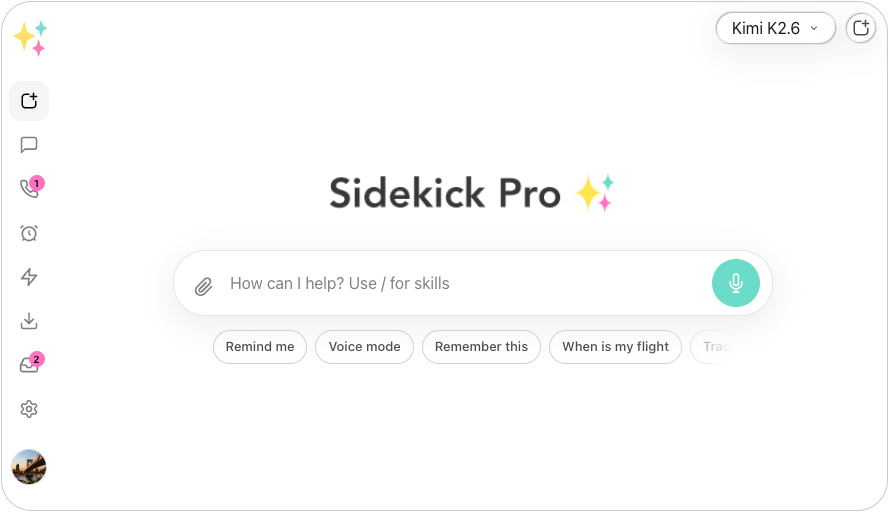
Sidekick Pro reads every email in your Gmail and judges it the way an assistant would. The few that need you arrive as an alert on your phone, with one-tap buttons to draft the reply or have it handle the job. The rest wait quietly, and you get a morning brief of what came in overnight.
You teach it in plain words, once. Tell it that a sender always matters, or that a domain never does, and that rule applies to every email from them from then on. It also turns emails into action. A meeting request becomes a calendar event, an ask becomes a task, and an agent can do the follow-up in your browser.
Your inbox is only one channel. Sidekick Pro triages your texts, calls and Slack messages with the same rules, so one assistant decides what reaches you, wherever it comes from.
Other tools sort your inbox. Sidekick Pro empties it.
- Reads every email Judges each message the way an assistant would, not with folder rules.
- Alerts that matter Only the few emails that need you reach your phone, with one-tap replies.
- Tell it once A rule you state about a sender or domain applies to every email that follows.
- Email to action Meeting requests become calendar events, and asks become tasks.
- Morning brief A short summary of what came in overnight and what needs you today.
- One triage, every channel The same rules cover your texts, calls and Slack messages.
What we like
- Triages and then acts, instead of only sorting
- Keeps your current Gmail; nothing new to learn
- Plain-language rules per sender or domain
- Covers texts, calls and Slack as well as email
Keep in mind
- Gmail only for now; no Outlook support yet
- No permanent free plan, only a free starter credit
From $20/mo
Plus $20/mo · Business $29/mo · Ultra $200/mo
Best for: Busy people on Gmail who want the inbox handled, not just sorted.
Best morning brief
2. alfred_
AI email and calendar assistant with an overnight brief by alfred_
A focused assistant that triages your inbox overnight and hands you a short brief of what needs you, with drafts ready.
alfred_ works through Gmail and Outlook. Overnight it sorts your inbox, pulls out tasks, and writes draft replies in your voice. In the morning you get a brief of the few things that need your judgment.
It never sends anything on its own. You review and send every message, which is safe but keeps you in the loop for every reply. Most of its work happens in its own app rather than inside your email.
What we like
- Clear overnight brief and draft replies
- Works with Gmail and Outlook
- One flat price with every feature included
Keep in mind
- Email and calendar only
- A newer product with a smaller track record
- Price
- $24.99/mo · Team $29.99/seat/mo (2-seat minimum) · 7-day free trial
- Platforms
- Web
- Best for
- Professionals who want to start each day with a short list instead of an inbox.
Best set-and-forget filter
3. SaneBox
Email filtering that works in any email app by SaneBox
The veteran of inbox filtering, working quietly in any email app, but it sorts by sender and habit rather than by what an email says.
SaneBox runs on its own servers and moves unimportant mail into folders such as SaneLater, so it works with Gmail, Outlook, iCloud and any other IMAP account, in whatever email app you already use. It learns from where you move messages.
That design is also its limit. It decides by sender and your past behavior, not by reading the email, and it does not draft replies or act on anything.
What we like
- Works with almost any email provider and app
- Low price and no new app to learn
- Mature, reliable filtering
Keep in mind
- Sorts by sender and habit, not by content
- No draft replies or follow-up
- Price
- Snack $9.49/mo · Lunch $15.99/mo · Dinner $42.99/mo · less billed yearly · 14-day trial
- Platforms
- Any email app
- Best for
- People who want less noise in any email app, with no setup after the first week.
Best for speed
4. Superhuman
Fast, keyboard-first email app with AI by Superhuman
The fastest email app for keyboard lovers, with strong AI on its Business plan, but you have to switch email apps to use it.
Superhuman replaces your email app with a fast, keyboard-first client for Gmail and Outlook. Its Split Inbox and Auto Labels sort mail as it arrives, and its Business plan adds Auto Drafts and Ask AI.
It is now part of the Superhuman suite, formerly Grammarly. Mail is priced for power users, and the free Superhuman plan does not include it.
What we like
- Very fast, with 100+ keyboard shortcuts
- Works with Gmail and Outlook
- Auto Drafts and custom Auto Labels on Business
Keep in mind
- Replaces your email app
- Premium price for email alone
- Price
- Business $40/mo, or $33/mo billed yearly; the free Superhuman plan does not include Mail
- Platforms
- Mac, Windows, iOS, Android, Web
- Best for
- Email power users who live in their inbox all day.
Best AI email app for Gmail
5. Shortwave
AI-native email app for Gmail by Shortwave
A smart AI email client built for Gmail, with strong search and summaries, but it has dropped its free plan.
Shortwave rebuilds Gmail with AI at the center. It summarizes threads, drafts replies, answers questions about your mail, and connects through MCP to tools such as Slack, Notion and HubSpot. It also offers team inboxes.
It connects only to Gmail, and it replaces the email app you use today. Since 2026 every plan is paid after a 14-day trial.
What we like
- Strong AI search, summaries and drafting
- Integrations with Slack, Notion, Asana and HubSpot
- Team inboxes on shared addresses
Keep in mind
- Replaces your email app
- No free plan anymore
- Price
- Business $24 · Premier $36 · Max $100 per seat/mo, billed yearly · 14-day trial
- Platforms
- Web, Mac, Windows, iOS, Android
- Best for
- Gmail teams who want an AI-first email client.
Best free option
6. Spike
Chat-style email app with a Priority Inbox by Spike
A friendly, chat-style email app with a Priority Inbox and a real free plan, but lighter AI than the rest.
Spike shows email as conversations, like a chat app, and adds notes, tasks and team chat. Its Priority Inbox sorts messages into Priority and Other, and its AI can summarize, suggest replies and translate.
The free plan is generous for one address. The AI is a helper rather than a triage engine, and the chat format is a matter of taste.
What we like
- Free plan, and paid plans from $8 a month
- Works with Gmail, Outlook and other providers
- Chat, notes and tasks in one app
Keep in mind
- Lighter AI triage than the other tools here
- Replaces your email app
- Price
- Free · Pro $8/user/mo · Business $16/user/mo
- Platforms
- Web, Mac, Windows, iOS, Android
- Best for
- Small teams who like chat-style email and want to start free.
Email Triage Tools compared, side by side
Starting prices come from each vendor’s own site. Scroll the chart sideways on a small screen.
| Feature | Our pick Sidekick Pro | alfred_ | SaneBox | Superhuman | Shortwave | Spike |
|---|---|---|---|---|---|---|
| Starting price | From $20/mo | From $24.99/mo | From $9.49/mo | From $33/user/mo | From $24/user/mo | From $8/user/mo |
| Free plan | Free trial credit | No | No | No | No | Yes |
| Reads what each email says | Yes | Yes | Sender and habit | Yes | Yes | Priority Inbox |
| Drafts replies for you | Yes | Yes | No | Business plan | Yes | Suggested replies |
| Acts on the email for you | Yes | Tasks and calendar | No | Not listed | Via integrations | Not listed |
| Keeps your current email app | Yes | Own app | Yes | No | No | No |
| Works with Gmail | Yes | Yes | Yes | Yes | Yes | Yes |
| Works with Outlook | No | Yes | Yes | Yes | No | Yes |
| Morning brief | Yes | Yes | Daily digest | Not listed | Not listed | Not listed |
| Triages texts, calls and Slack too | Yes | No | No | No | No | No |
| Our score | 9.4 | 8.6 | 8.3 | 8.2 | 8.0 | 7.4 |

How we chose and scored every email triage tool
We scored each tool on how much of the triage job it takes off you, from reading the email to dealing with it, in a normal week. "Not listed" in the chart means the vendor does not list that feature; prices come from each vendor's plans on the date shown.
- Judgment 30%
Does it understand what an email says and who it is from, or only sort by rules?
- Follow-through 30%
Does it draft the reply, book the meeting or create the task, or leave that to you?
- Fits how you work 20%
Can you keep your email app and provider, or do you have to switch?
- Price 20%
What one person pays for the triage features, not the headline plan.
Editor’s pick for 2026
Sidekick Pro is the email triage tool that reads every message, tells you what matters and handles the rest.
Every tool on this list can put your email into piles. Sidekick Pro is the one that picks up the pile and deals with it. It drafts the reply, books the meeting, creates the task, and brings the rest of your day into the same triage, from texts to calls to Slack.
Plans start at $20 a month, and new workspaces get free starter credit, so you can see it work on your own inbox today.
Frequently asked questions
What is email triage?
Email triage is deciding which emails need you, which can wait and which you can ignore, and then acting on them. Filter tools such as SaneBox sort mail by sender and habit. AI tools such as Sidekick Pro, alfred_, Superhuman and Shortwave read each email to decide, and Sidekick Pro also drafts the reply and turns requests into calendar events and tasks.
What is the best AI email triage tool for Gmail?
Sidekick Pro is the best AI email triage tool for Gmail. It reads every email, alerts you only to the ones that need you, drafts the replies and handles follow-up, while you keep using Gmail. Shortwave is a strong choice if you want to replace the Gmail app with an AI-first client.
Which email triage tools work with Outlook?
alfred_, SaneBox, Superhuman and Spike all work with Outlook. Sidekick Pro and Shortwave work with Gmail only.
Is there a free email triage tool?
Spike has a free plan with its Priority Inbox. Sidekick Pro gives new workspaces free starter credit, alfred_ has a 7-day free trial, and SaneBox and Shortwave have 14-day trials. The free Superhuman plan does not include Superhuman Mail.
Is SaneBox better than an AI email assistant?
SaneBox is excellent at filtering noise in any email app, but it decides by sender and habit, not by reading the email, and it does not draft or act. An AI assistant such as Sidekick Pro reads each message, drafts the reply and handles the follow-up.