

Buyer’s guide 2026 edition
5 Best Voice Web Browsers in 2026
Every browser can now hear you. The best ones do what you say, on the sites you already use, and keep up when you change your mind mid-sentence.

The short answer
What is the best voice web browser?
Sidekick Pro is the best voice web browser in 2026. You talk to it in your own Chrome, and it clicks, types and fills in forms with your logins while it talks back. The same voice works on your phone, where a private cloud browser does the job, from $20 a month. Comet suits a free voice-first browser, ChatGPT suits desktop agents, and Gemini and Edge suit quick voice help.
Our top picks at a glance
Voice on the web used to mean dictation. You spoke into a search box, and then you did the rest with a mouse. In 2026 that changed. Perplexity gave Comet a voice mode that opens sites and follows links, Google put Gemini Live into Chrome, Microsoft built Copilot Voice into Edge, and OpenAI brought its new voice to the ChatGPT desktop app.
They all listen. The difference is what happens next. Some answer questions about the page. Some scroll and highlight. A few actually do the job, on the sites where you are already signed in.
We ranked them on the thing people want from a voice browser. Say what you need, keep your hands free, and get it done.
1. Sidekick Pro
AI agents for your email, calendar, calls and browser
The voice browser that works in the Chrome you already use, acts on the sites you are signed in to, and follows you to your phone.
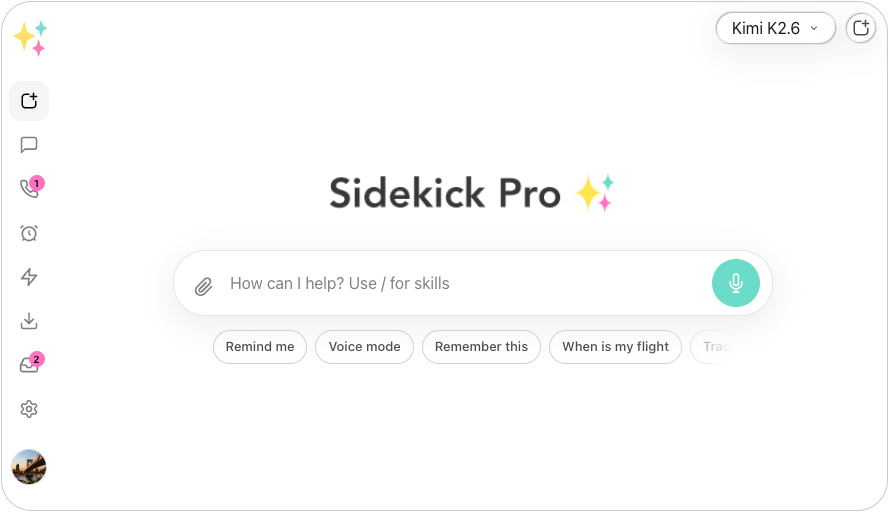
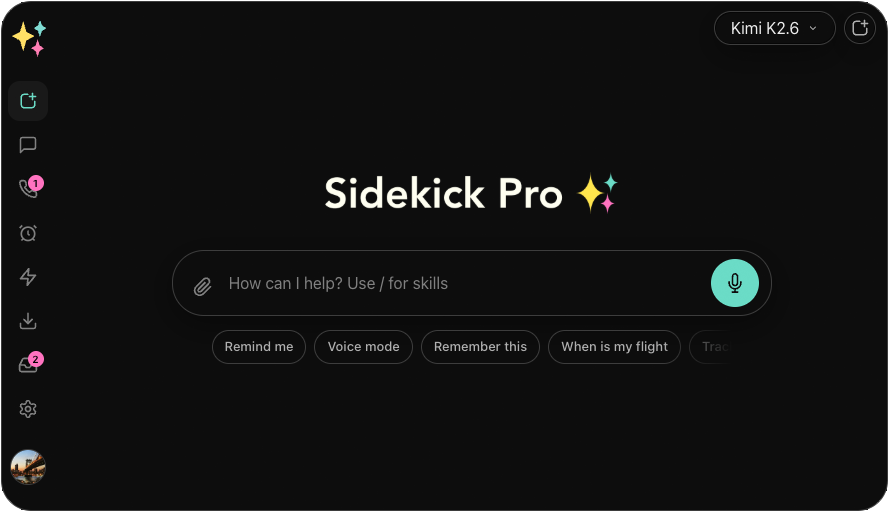
Most voice browsers ask you to switch browsers or stop at answering questions. Sidekick Pro lives in your own Chrome through its extension. You talk, and it opens pages, clicks, types and fills in forms with the logins you already have, then tells you what it did in a sentence or two.
It is a real conversation. You can interrupt it mid-sentence to change the plan, and anything better read than heard, such as a table, a draft or an address, appears on your screen while it speaks one short line. Save a routine you repeat, and next time one short sentence runs it.
Your voice is not tied to your desk. The same assistant runs in the iOS, Android, Mac and Windows apps, and on your phone its private cloud browser does the web work, signed in to your sites from the last time. It also reads your email and calendar, and it runs on the GPT, Claude or Gemini model you choose.
A voice browser should do what you say, not just read the page back to you.
- Your own Chrome Clicks, types and fills in forms with the logins you already have.
- Interrupt any time Full-duplex voice, so you can cut in and change the plan mid-sentence.
- Shows while it speaks Tables, drafts and addresses appear on screen; the voice stays short.
- On your phone too iOS and Android apps, with a private cloud browser that stays signed in.
- Saved routines Repeat a task by voice with one short sentence.
- Any model GPT, Claude and Gemini in one plan, chosen per task.
What we like
- Acts on real sites by voice, with your own logins
- Keeps your current browser; nothing new to switch to
- Same voice assistant on desktop, web and phone
- Multi-model, with GPT, Claude and Gemini in one plan
Keep in mind
- Browser control needs its Chrome extension; no Safari or Firefox
- No permanent free plan, only a free starter credit
From $20/mo
Plus $20/mo · Business $29/mo · Ultra $200/mo
Best for: Anyone who wants to get web tasks done by talking, at a desk or on the move.
Best free voice browser
2. Perplexity Comet
AI browser with a built-in assistant by Perplexity
A full browser with a fast voice mode that opens sites, follows links and scrolls for you, free on every platform.
Comet's voice mode, upgraded in February 2026, runs on OpenAI's real-time voice model. Press Shift + Alt + V, or Shift + Option + V on a Mac, and tell it to open a page, follow a link or scroll. It keeps the conversation going as you move between tabs, and you can pick from 36 languages.
The catch is that Comet is a browser of its own. To talk to it you move your browsing, bookmarks and logins over. Paid Perplexity plans add higher limits and more models.
What we like
- Free on Windows, Mac, iOS and Android
- Voice navigation across tabs, in 36 languages
- Strong research answers from Perplexity
Keep in mind
- You have to switch browsers
- Heavier agent use needs the $200 Max plan
- Price
- Comet browser free · Perplexity Pro $20/mo · Max $200/mo
- Platforms
- Windows, Mac, iOS, Android
- Best for
- People happy to switch browsers for a free, voice-first experience.
Visit Perplexity Comet Perplexity Comet vs Sidekick Pro, compared
Best for directing agents by voice
3. ChatGPT
General-purpose AI chatbot by OpenAI
ChatGPT Voice in the desktop app lets you talk to agents while they work, including computer use on websites and apps.
In July 2026 OpenAI brought ChatGPT Voice, powered by GPT-Live, to its Mac and Windows desktop app. You can keep talking while agents in ChatGPT Work or Codex run, and it can use computer use skills to look things up on websites and in apps.
It is a voice for the desktop. Voice in Work is not available on the web or on your phone, it needs a Plus plan or higher, and it runs on OpenAI's models only.
What we like
- Talk while several agents work at once
- Computer use across websites and desktop apps
- Strong natural-sounding voice
Keep in mind
- Voice in Work is desktop-only, not web or mobile
- Needs Plus or higher, and OpenAI models only
- Price
- Go $8/mo · Plus $20/mo · Pro $200/mo · Business $25/user/mo
- Platforms
- Web, iOS, Android, Mac, Windows
- Best for
- ChatGPT subscribers who run agents from the desktop app.
Best built into Chrome
4. Gemini in Chrome
Gemini built into Chrome, with auto browse by Google
Go Live in Chrome's side panel and talk about the page you are on; Gemini scrolls to and highlights what you ask for.
Gemini in Chrome needs nothing extra if you already use Chrome. Choose Go Live, and you can talk to Gemini about the current tab, ask it to scroll to and highlight the part you need, and share your screen. You can interrupt it and ask follow-up questions as you would a person.
Live works on the page in front of you. For tasks across sites, Chrome's auto browse agent needs a Google AI Pro or Ultra plan and is available in the US only.
What we like
- Already in Chrome, with no install
- Natural conversation you can interrupt
- Free to use Live on Windows, Mac and ChromeOS
Keep in mind
- Live navigates the current page, not tasks across sites
- Auto browse is paid and US-only, on Gemini models only
- Price
- Gemini in Chrome is free · auto browse needs Google AI Pro ($19.99/mo) or Ultra ($249.99/mo), US only
- Platforms
- Windows, Mac, ChromeOS, Android
- Best for
- Chrome users who want to talk about the page in front of them.
Best free voice commands
5. Microsoft Edge
Web browser with Copilot built in by Microsoft
Copilot Voice in Edge handles quick commands, such as opening a site, going back or searching, free on desktop and mobile.
Edge now builds Copilot into the browser. Copilot Voice takes spoken commands such as "Open YouTube", "Go back" or "Turn on dark mode", answers questions, and compares details across your open tabs. With Copilot Vision you can share your screen and talk about what is on it.
It is best at commands and answers. Browse with Copilot, the agent that completes tasks for you, needs Microsoft 365 Premium and is available in the US only.
What we like
- Free, on desktop and mobile
- Quick voice commands for navigation and settings
- Reasons across your open tabs
Keep in mind
- Its task agent needs Microsoft 365 Premium, US only
- Works in Edge only, with no choice of model
- Price
- Edge and Copilot Voice are free · Browse with Copilot needs Microsoft 365 Premium ($19.99/mo), US only
- Platforms
- Windows, Mac, iOS, Android
- Best for
- Edge users who want quick, free voice commands.
Voice Web Browsers compared, side by side
Starting prices come from each vendor’s own site. Scroll the chart sideways on a small screen.
| Feature | Our pick Sidekick Pro | Perplexity Comet | ChatGPT | Gemini in Chrome | Microsoft Edge |
|---|---|---|---|---|---|
| Starting price | From $20/mo | From $20/mo | From $8/mo | From $19.99/mo | Free |
| Free plan | Free trial credit | Yes | Yes | Yes | Yes |
| Clicks, types and fills in forms by voice | Yes | Yes | Via computer use | Scrolls and highlights | Navigates and searches |
| Browser it works in | Your own Chrome | Comet only | Desktop app | Chrome | Edge |
| Interrupt it mid-sentence | Yes | Not listed | Yes | Yes | Not listed |
| Voice browsing on your phone | Yes | Yes | No | Not listed | Yes |
| Keeps working with your computer off | Private cloud browser | Not listed | Cloud browser | No | Not listed |
| Choose your AI model | GPT, Claude, Gemini | Paid plans | No | No | No |
| Our score | 9.4 | 8.7 | 8.3 | 8.0 | 7.6 |

How we chose and scored every voice web browser
We scored each browser on what happens after you speak, from answering a question to finishing a task on a real site, and on whether it works where you are. "Not listed" in the chart means the vendor does not list that feature; prices come from each vendor's plans on the date shown.
- Does the job by voice 35%
Can it click, type and fill in forms on real sites, including the ones you are signed in to?
- Works where you are 25%
Your current browser, your phone, and tasks that continue when you step away.
- Feels like a conversation 20%
Fast replies, and you can interrupt it and change the plan.
- Price and availability 20%
What voice browsing costs, and whether you can get it where you live.
Editor’s pick for 2026
Sidekick Pro is the voice browser that does what you say, in the Chrome you already use.
Every browser on this list can hear you. Sidekick Pro is the one that turns what you say into finished work on the sites you are signed in to, lets you cut in when you change your mind, and follows you to your phone.
Plans start at $20 a month, and new workspaces get free starter credit, so you can try it by voice on your own tasks today.
Also worth a look
- Perplexity Comet If you want a free browser built around voice and are happy to switch.
- Gemini in Chrome If you mostly want to talk about the page in front of you.
Frequently asked questions
What is a voice web browser?
A voice web browser lets you use the web by talking instead of typing and clicking. The simplest ones take voice commands such as "go back" or "open a site". The most capable, such as Sidekick Pro and Perplexity Comet, act on the page for you, following links and filling in forms from what you say.
Can I control Chrome with my voice?
Yes. Sidekick Pro's Chrome extension lets you talk to your own Chrome, and it clicks, types and fills in forms with your logins. Gemini in Chrome's Go Live mode lets you talk about the current page and have Gemini scroll to and highlight content.
Is there a free voice web browser?
Perplexity Comet's voice mode is free on every platform, and Copilot Voice in Microsoft Edge is free. Gemini Live in Chrome is free to use on the page you are on. Sidekick Pro gives new workspaces free starter credit.
Can a voice browser fill in forms for me?
Some can. Sidekick Pro fills in forms in your own Chrome, and Perplexity Comet can fill in forms from a voice or text request. Gemini Live in Chrome and Copilot Voice in Edge focus on navigation and answers; their task agents, auto browse and Browse with Copilot, need paid plans and are US-only.
Does voice browsing help with accessibility?
Voice browsing can help people who find a keyboard or mouse hard to use, because they can navigate and complete tasks by speaking. It does not replace a screen reader or your operating system's accessibility tools, and it works best alongside them.